









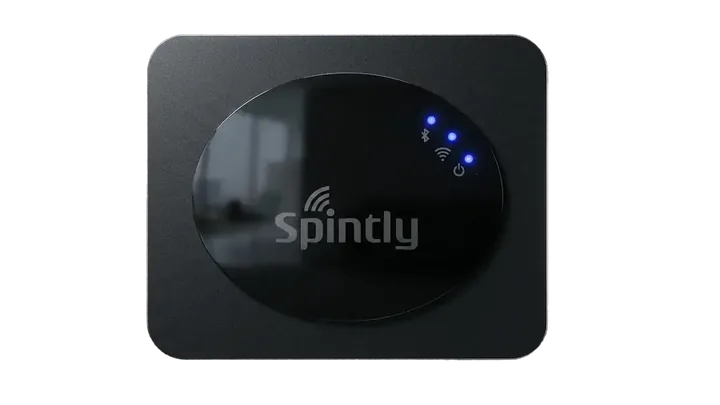
Features
- OTA (Over The Air) software upgrade
- BLE: 300 meters range (LOS)
- WiFi: 30 meters range
- Supports 100 doors
- Offline storage capacity up to 200K access logs
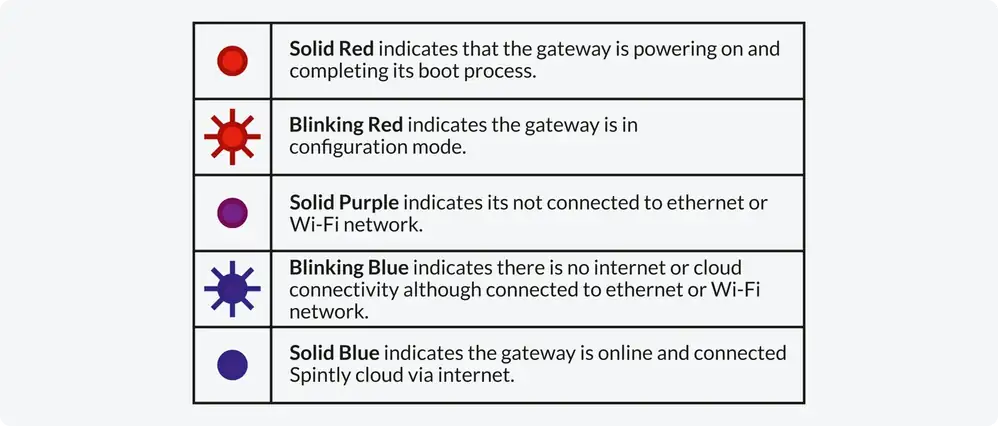
LED Status Indicator (when It Is Configured Using Wi-Fi)
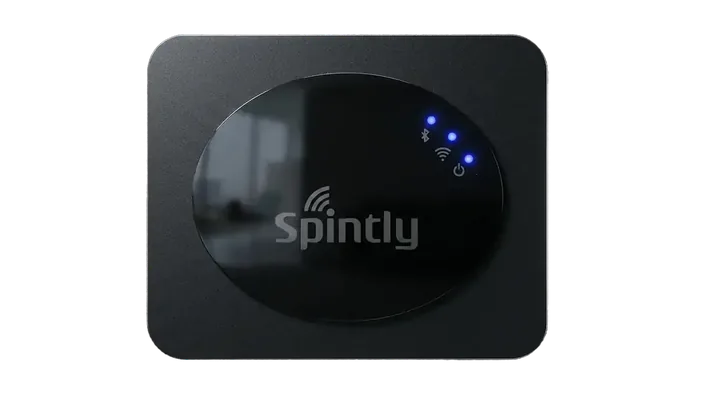
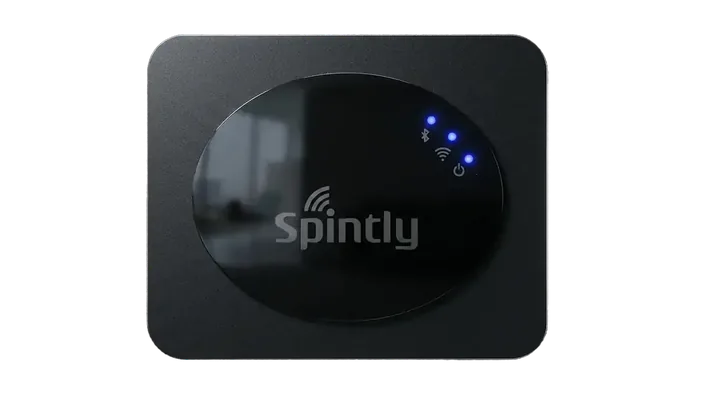
You can check the LED indication on the front of the Gateway to know it’s status.

Status LED Indication
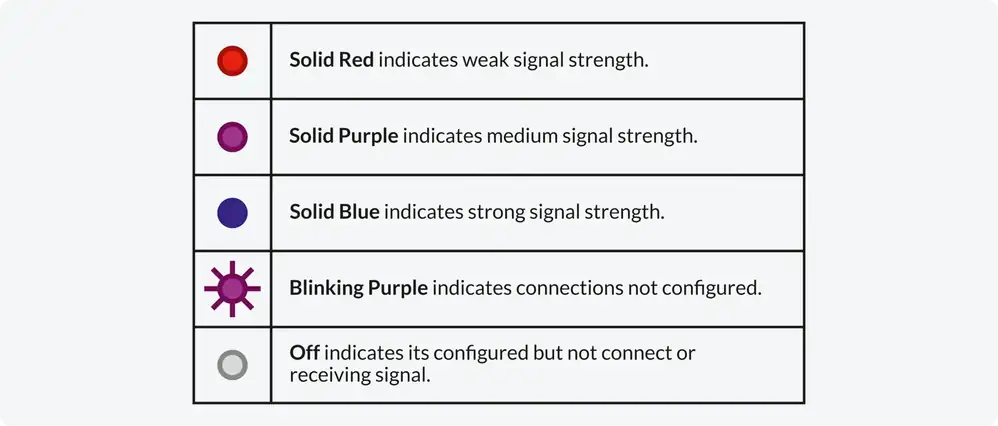
Wi-Fi/Bluetooth LED Indication
How to Power on the Gateway
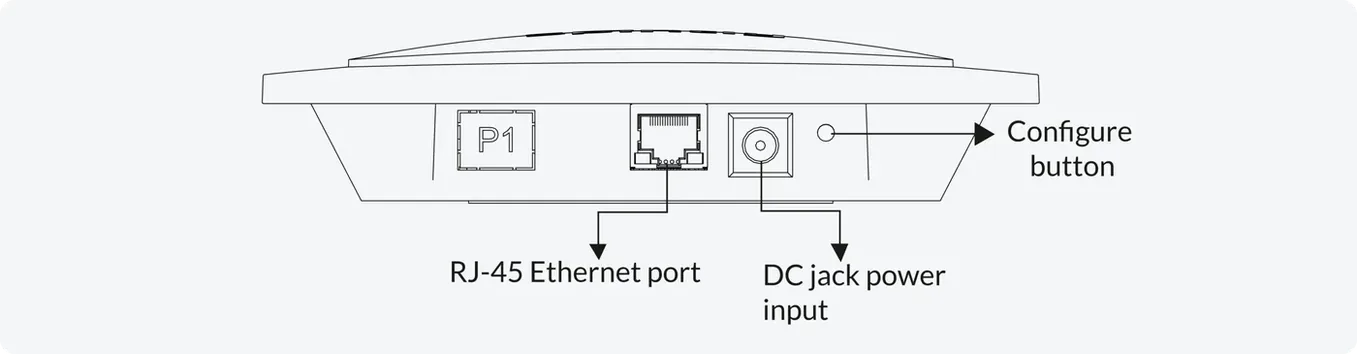
- Connect included power adaptor to the gateway via DC jack.
- Plug the adaptor in the wall socket
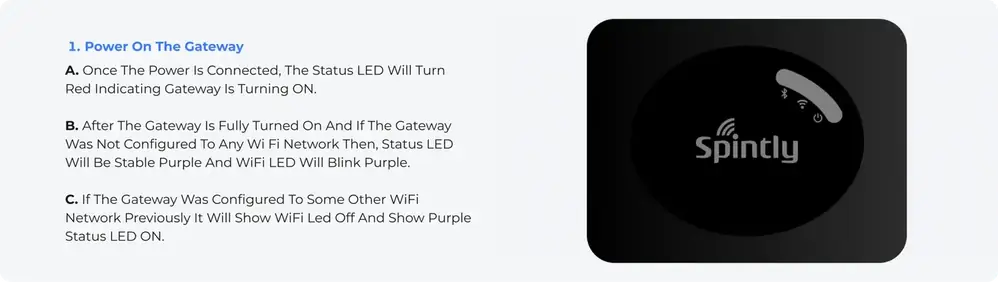
- The status LED should be stable red indicating its powered on and gateway is turning on now.
Note : If you have PoE enabled gateway model (SG-022), then you can power the gateway just with the PoE ethernet cable. No need to plug in power adaptor separately.
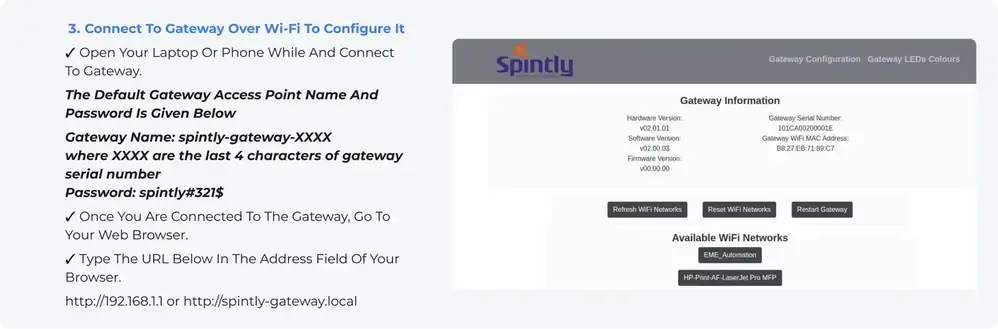
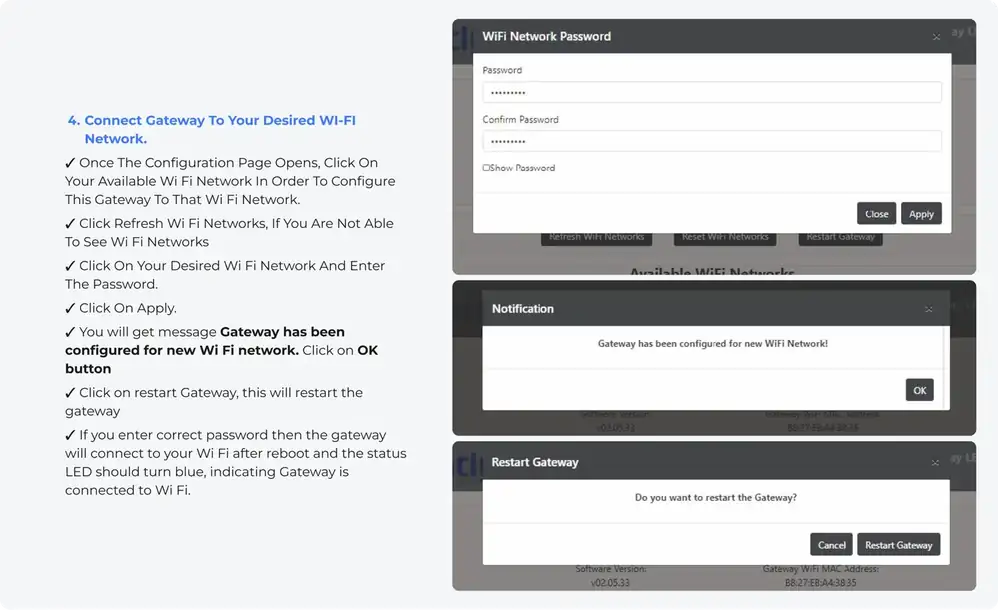
How to Configure Gateway to Your Wi Fi Network
Note down the SSID (name of your Wi Fi network) and password of your home Wi Fi network before you proceed.