
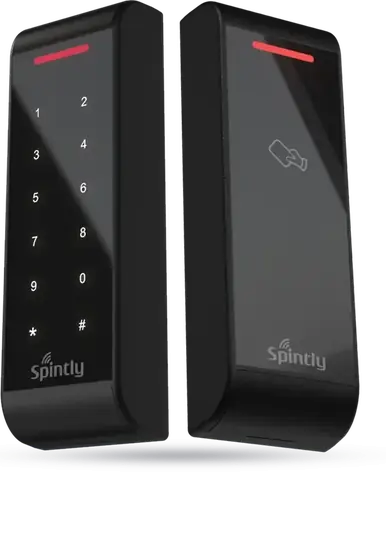
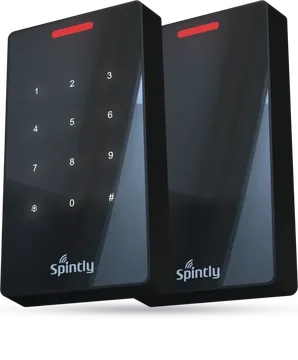
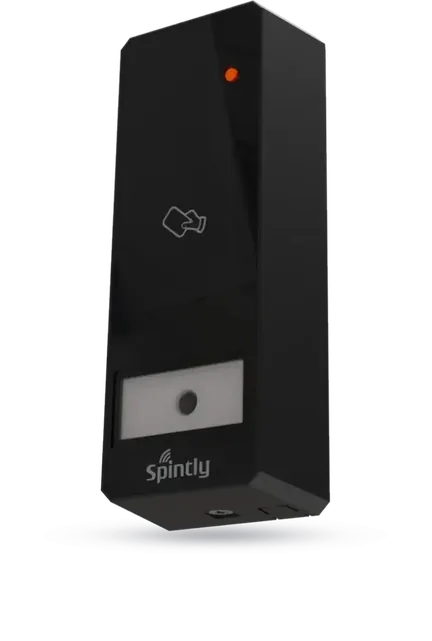
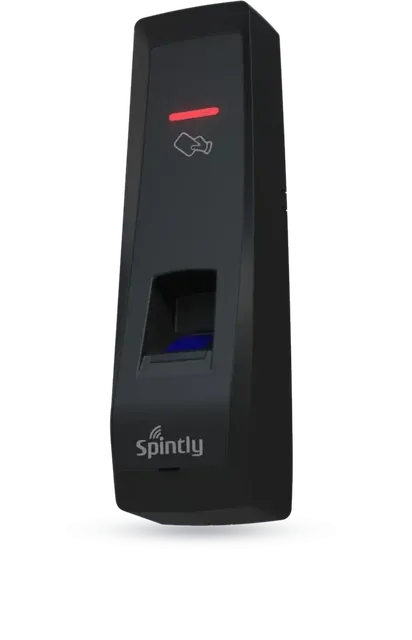



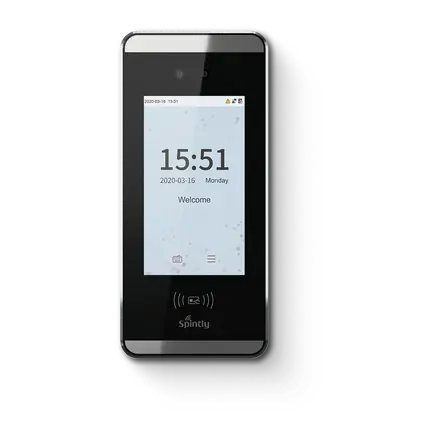
AURA – The Next-Gen Reader. Launching Soon

Learn More About AURA
Installation guide

Spintly Face Recognition

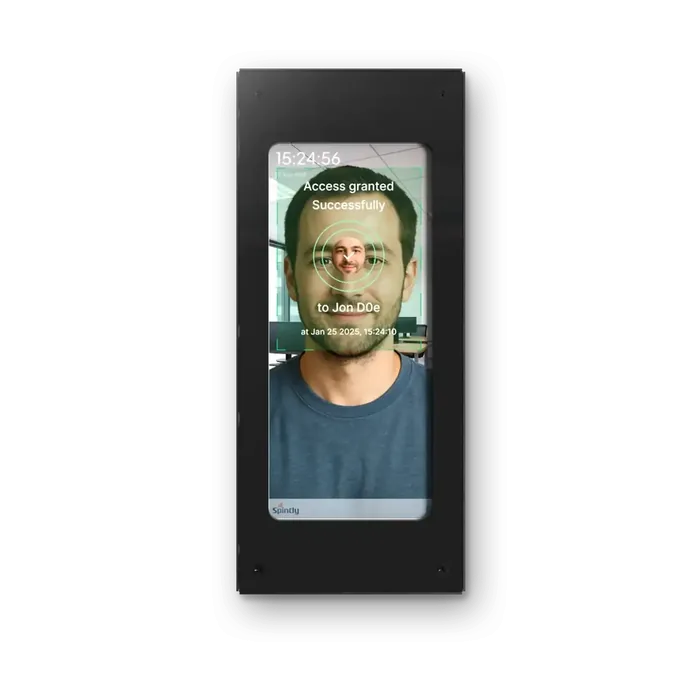
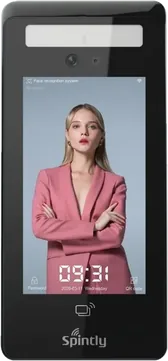
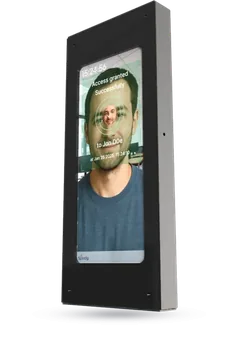
A robust Linux-based device that combines secure access control with precise attendance tracking. Equipped with visible light facial recognition, it ensures fast, contactless, and highly accurate identification across diverse lighting conditions. Ideal for offices, enterprises, and residential spaces.

Contents
Spintly Face Recognition

Overview

The device is equipped with the exposed pluggable type connectors on the rear side, providing convenient access to all required signals to simplify the installation process.
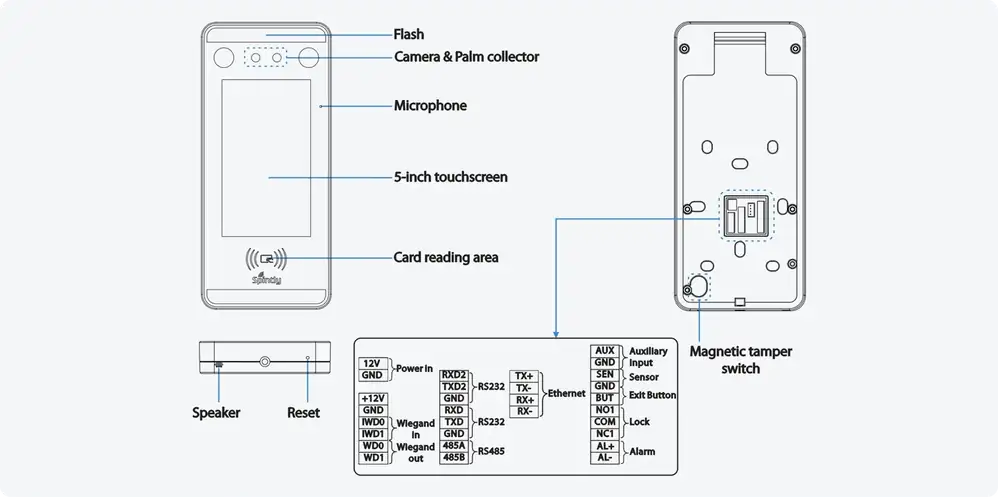
Spintly Face Recognition: diagram 1

Installation Environment

Please Refer to the Following Recommendations for Installation.

Spintly Face Recognition: diagram 2

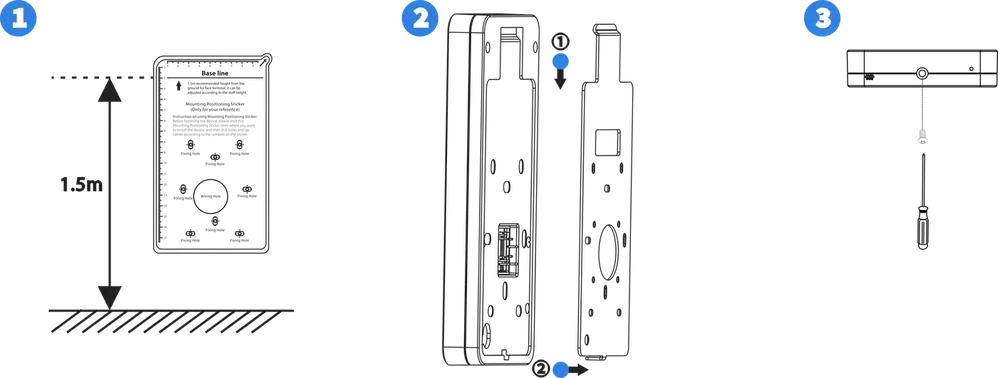
Device Installation

Spintly Face Recognition: diagram 3
  • Attach the mounting template sticker to the wall, and Drill holes according to the template.
  • Fix the back plate to the wall using mounting screws. Attach the device to the back plate.
  • Fasten the device using the security screw.

Standalone Installation (TCP/IP)

Standalone Installation Supports the Following Components
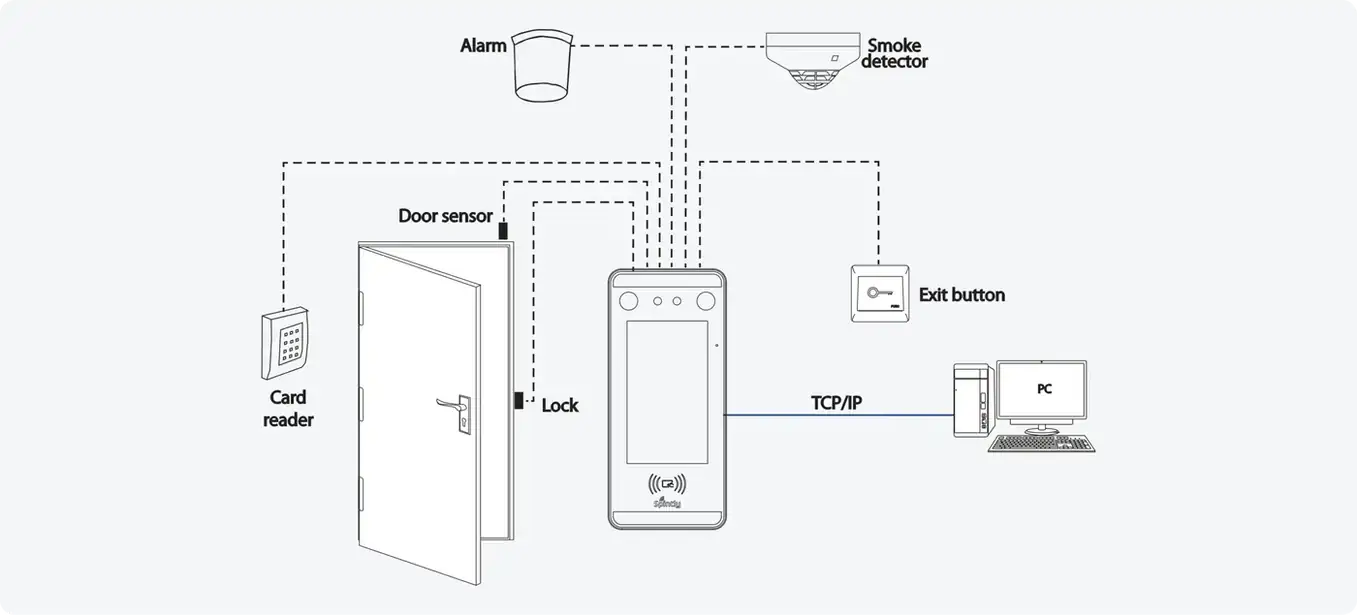
Spintly Face Recognition: diagram 4

Door Sensor, Exit Button & Alarm Connection
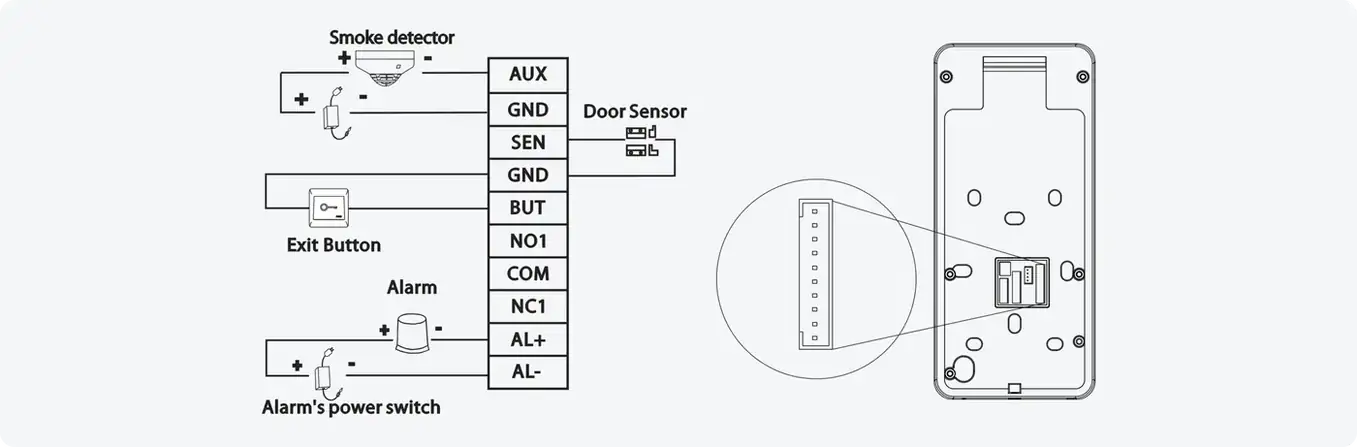
Spintly Face Recognition: diagram 5

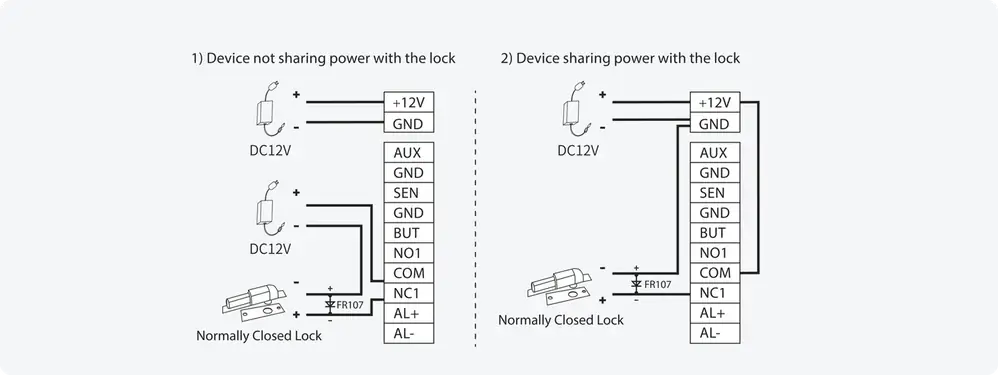
Lock Relay Connection

The system supports both Normally Open (NO) and Normally Closed (NC) locks.

A NO lock, which remains open when powered on, connects to the NO1 and COM terminals, while an NC lock, which remains closed when powered on, connects to the NC1 and COM terminals. The following example illustrates an NC lock connection.
Spintly Face Recognition: diagram 6

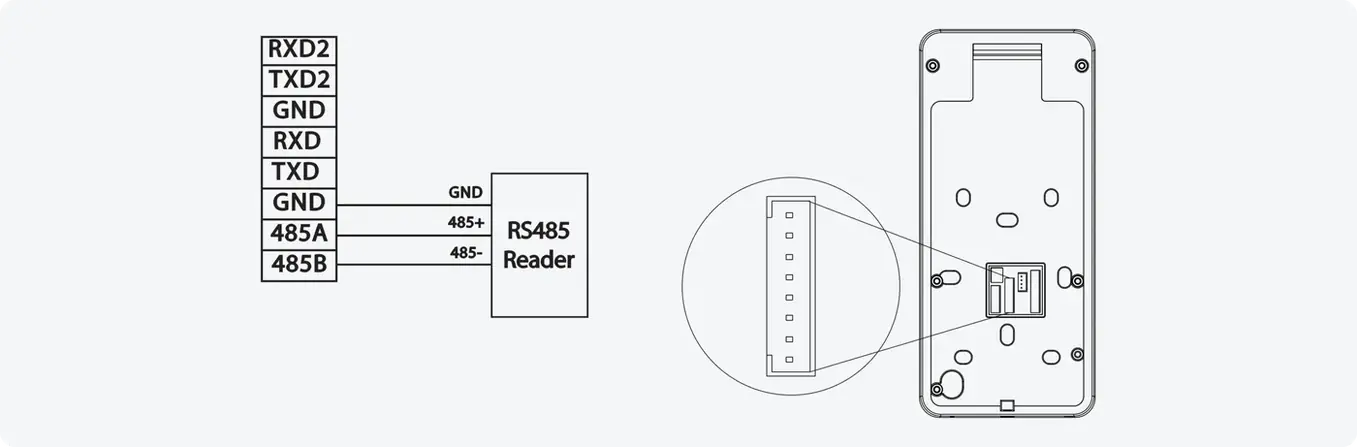
RS485 Connection

Spintly Face Recognition: diagram 7

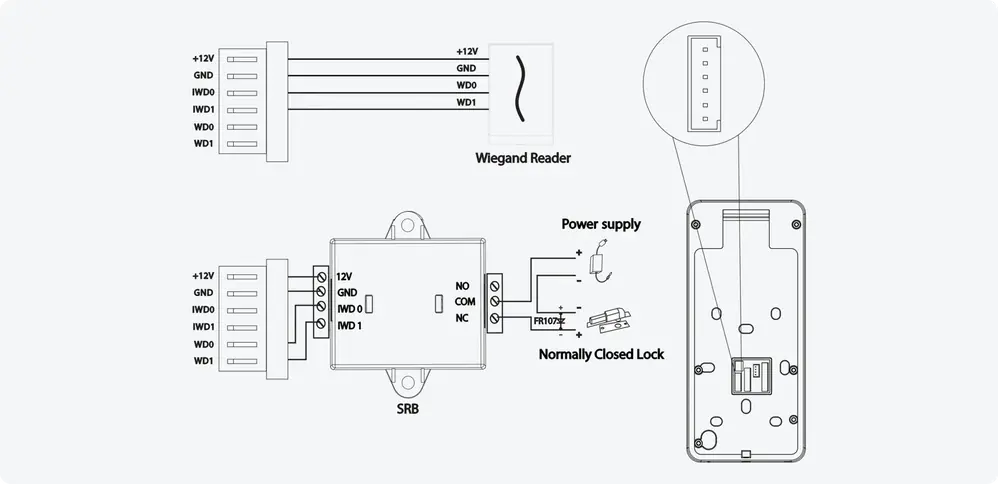
Wiegand Reader / SRB Connection

Spintly Face Recognition: diagram 8

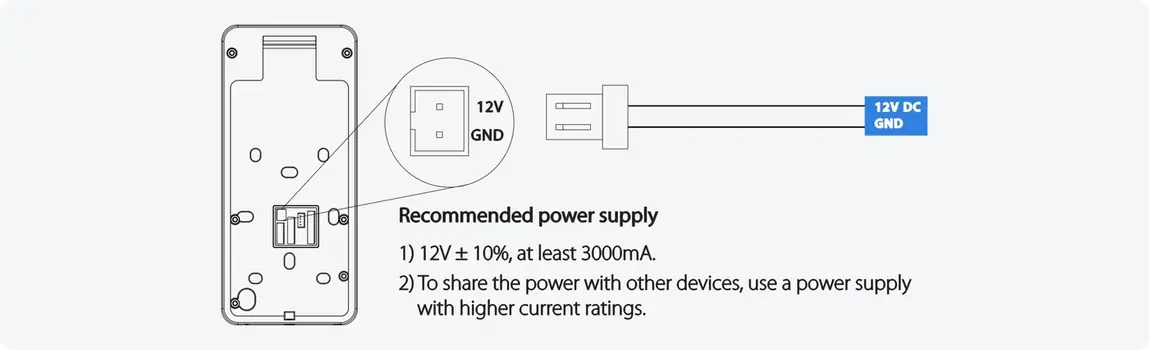
Power Connection

Spintly Face Recognition: diagram 9

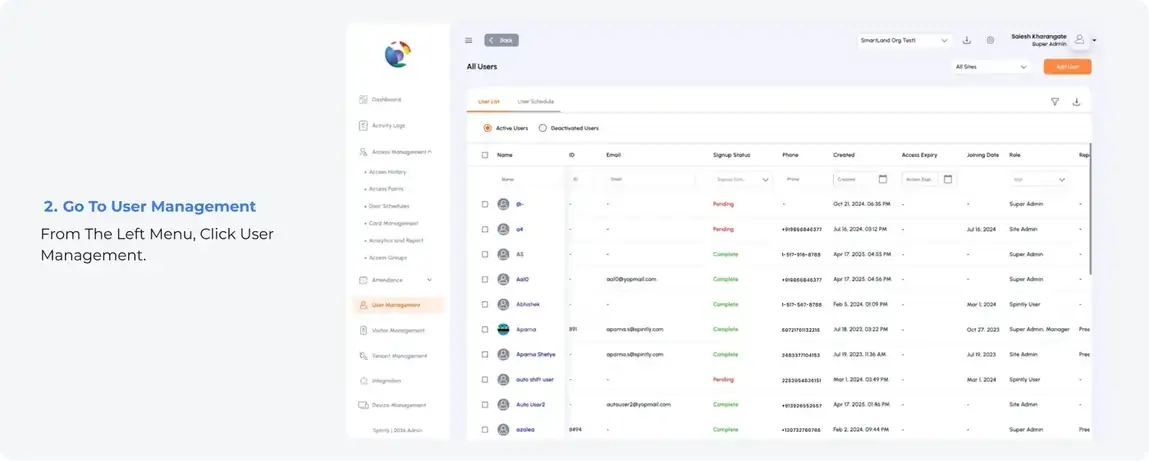
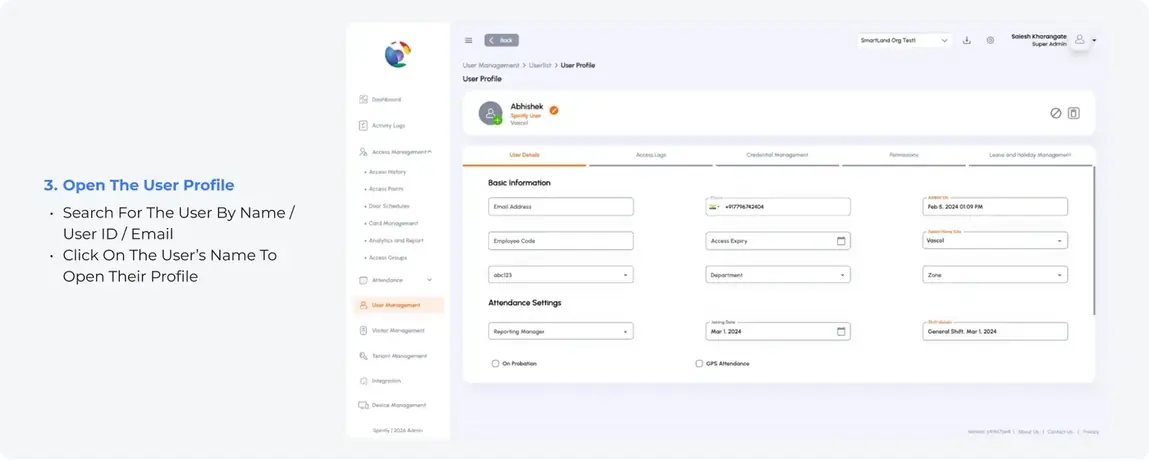
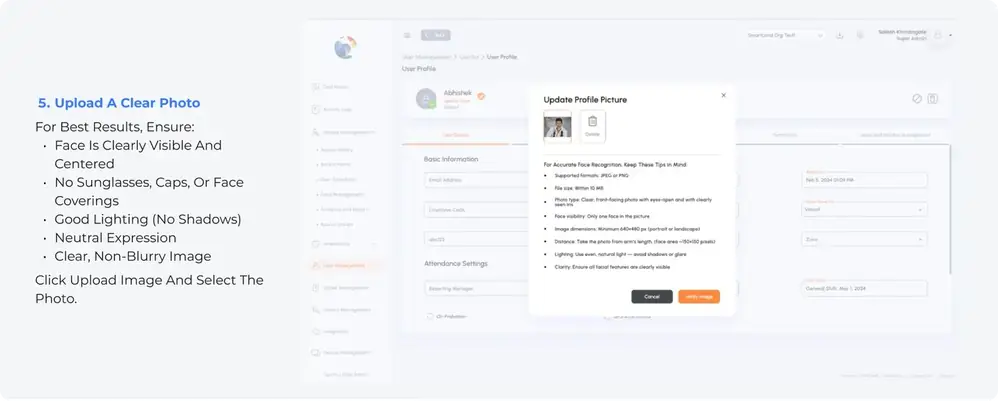
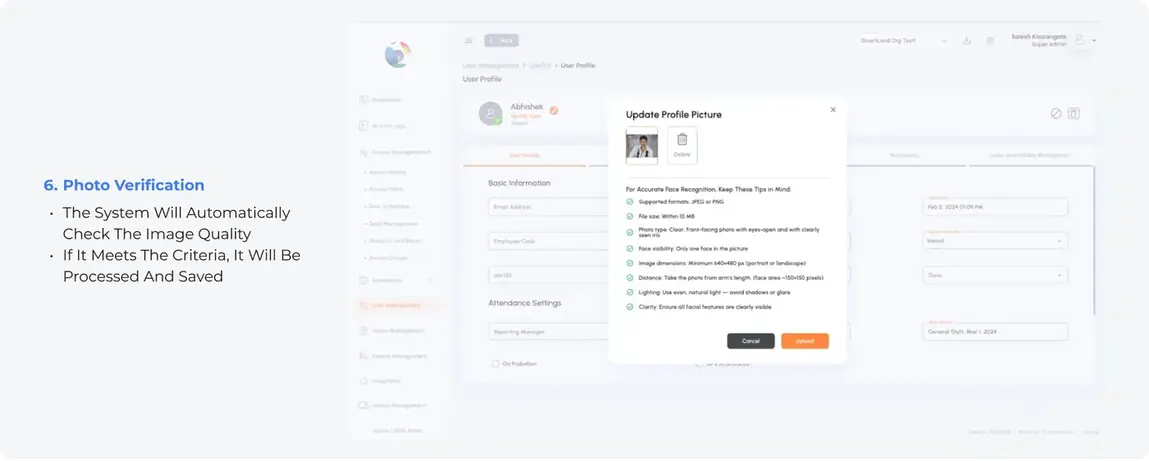
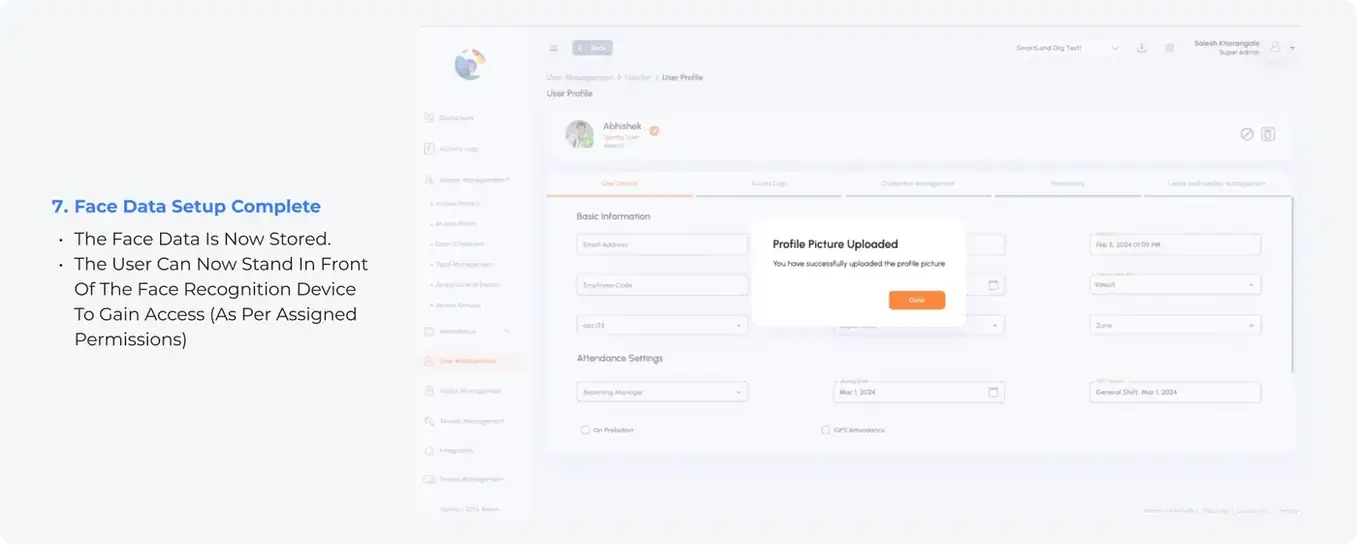
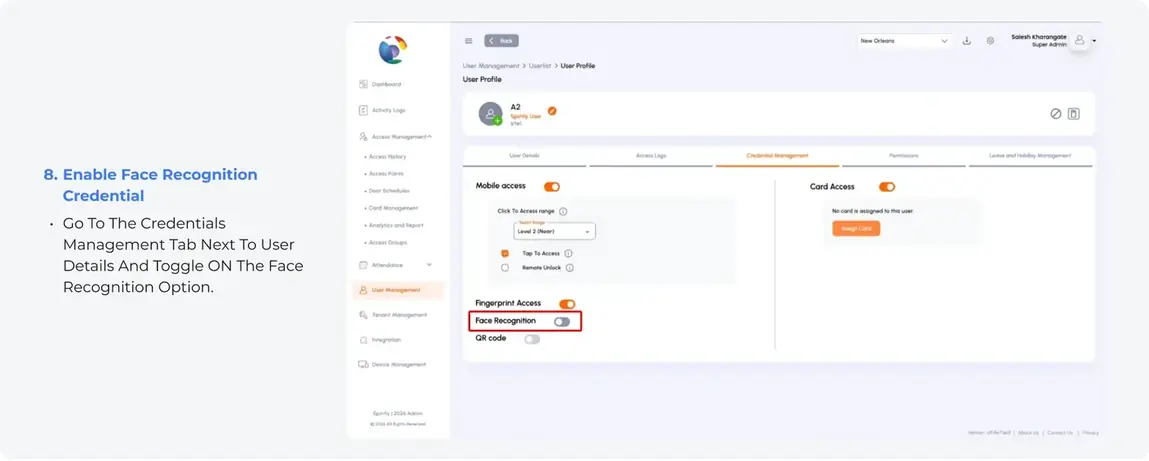
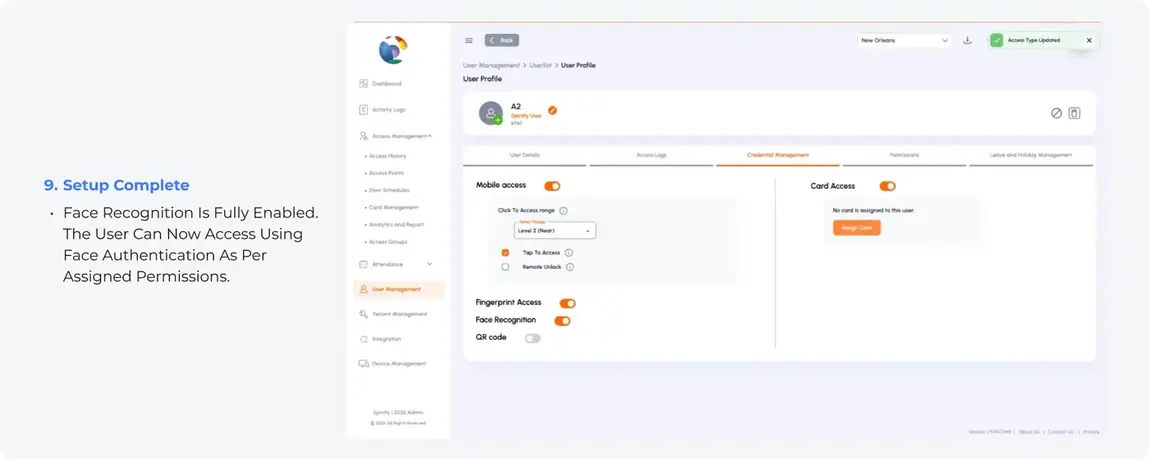
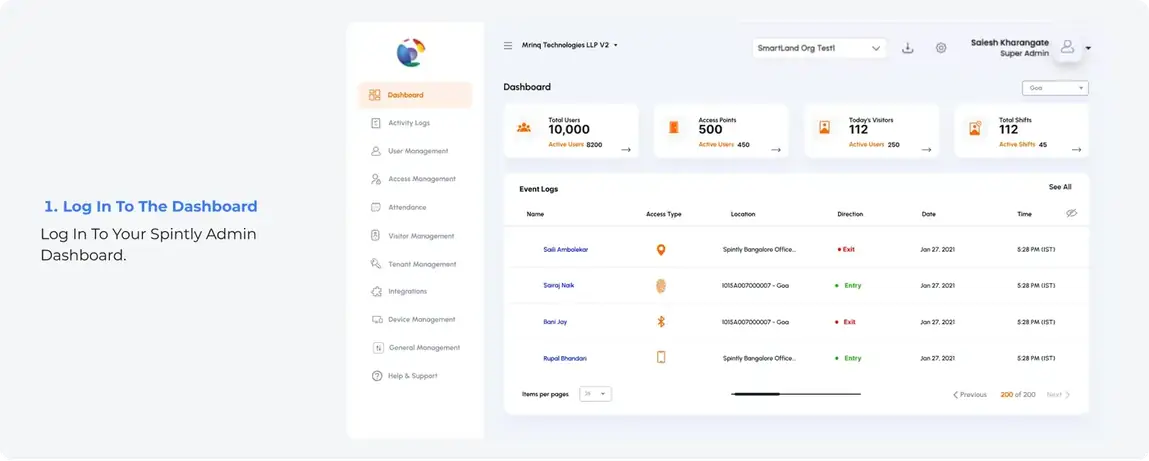
Face Recognition Setup Guide

Follow these steps to enable Face Recognition for a user:
Spintly Face Recognition: diagram 10
Spintly Face Recognition: diagram 11
Spintly Face Recognition: diagram 12
Spintly Face Recognition: diagram 13
Spintly Face Recognition: diagram 14
Spintly Face Recognition: diagram 15
Spintly Face Recognition: diagram 16
Spintly Face Recognition: diagram 17
Spintly Face Recognition: diagram 18
Book a demo

Need Help with an Installation?

Our support team helps installers with wiring, configuration and commissioning.

  • A Spintly expert gets back to you within 24 hours
  • A site walkthrough and a tailored quote

Prefer email? sales@spintly.com

Please contact me at

Chat with us

Download the Datasheet

Fill out the form below and the datasheet opens straight away.

Need Help Finding the Solution You're Looking For?

Manage credentials in seconds and open doors remotely, all while overseeing every site with ease. At Spintly, we're leading the way in cloud-based physical security.

Trusted by Industry Leaders

  • Anarock
  • Brigade Group
  • Godrej
  • JLL
  • Tata Consumer Products
  • K Raheja Corp

Fill out the form below and our expert team will reach out to you.

Please contact me at