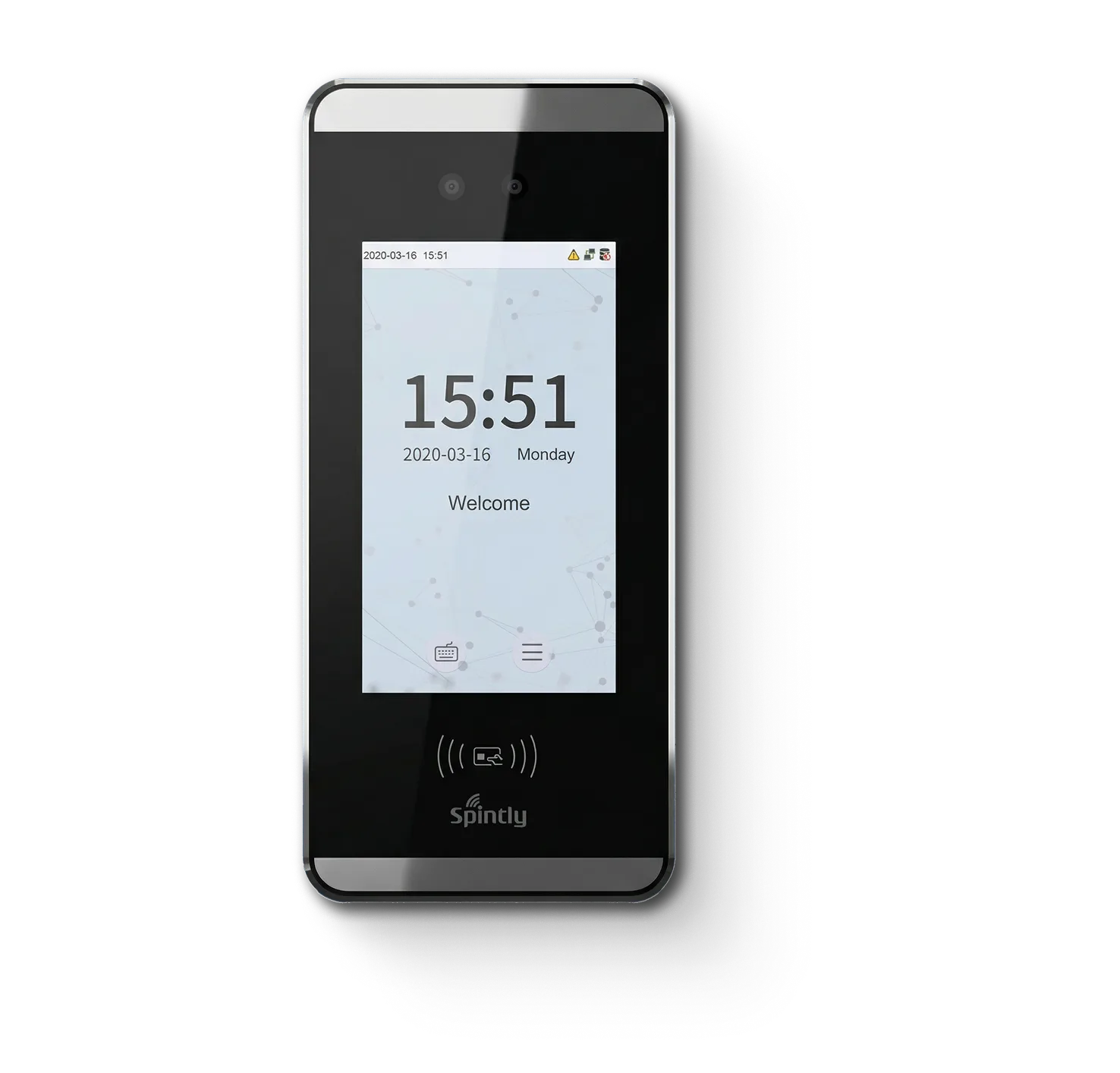
A robust Linux-based device that combines secure access control with precise attendance tracking. Equipped with visible light facial recognition, it ensures fast, contactless, and highly accurate identification across diverse lighting conditions. Ideal for offices, enterprises, and residential spaces.
Overview
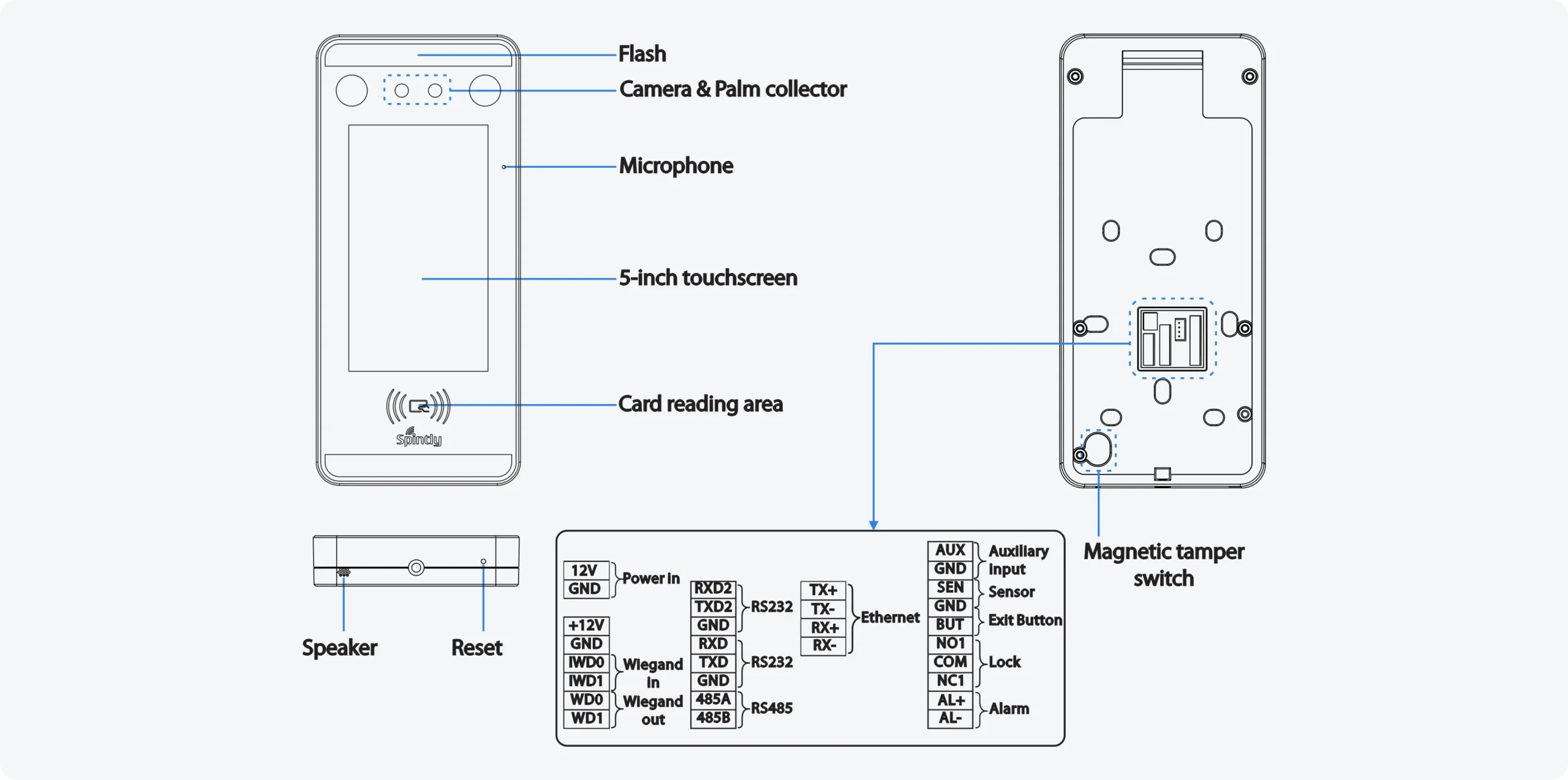
The device is equipped with the exposed pluggable type connectors on the rear side, providing convenient access to all required signals to simplify the installation process.
Installation environment
please refer to the following recommendations for installation.
Device installation
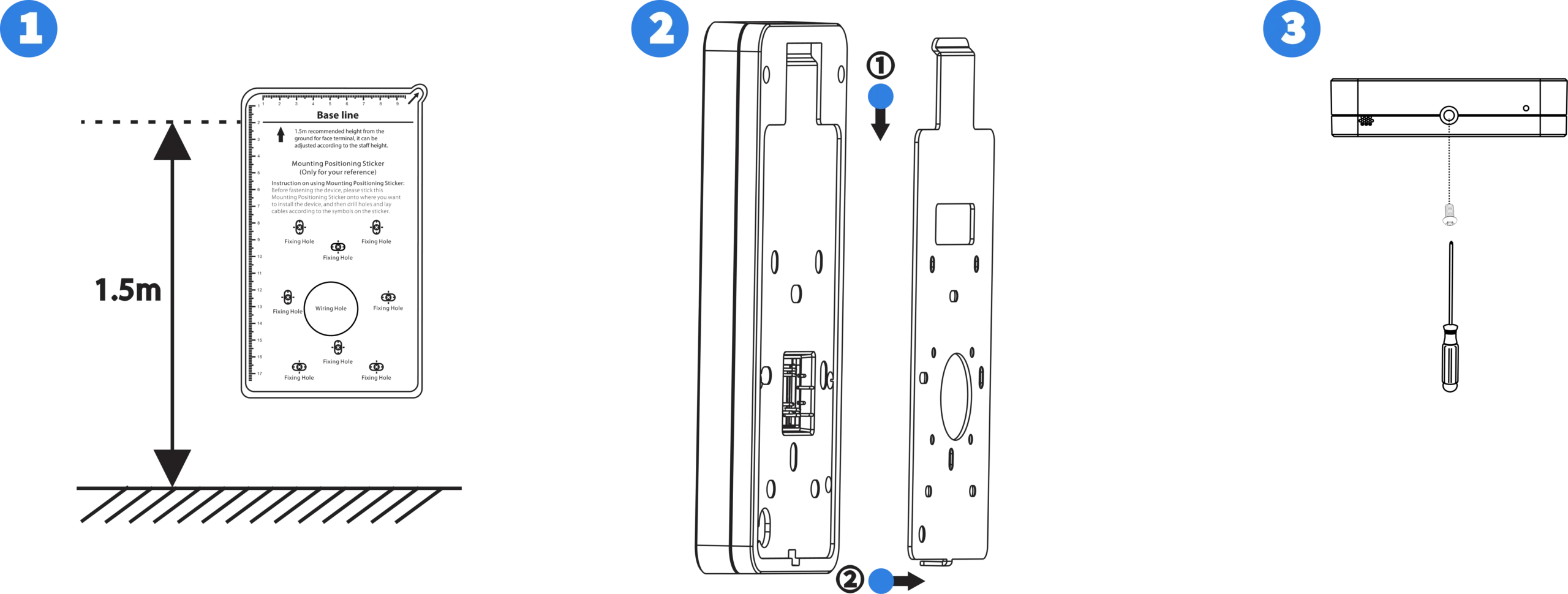
Attach the mounting template sticker to the wall, and Drill holes according to the template.
Fix the back plate to the wall using mounting screws. Attach the device to the back plate.
Fasten the device using the security screw.
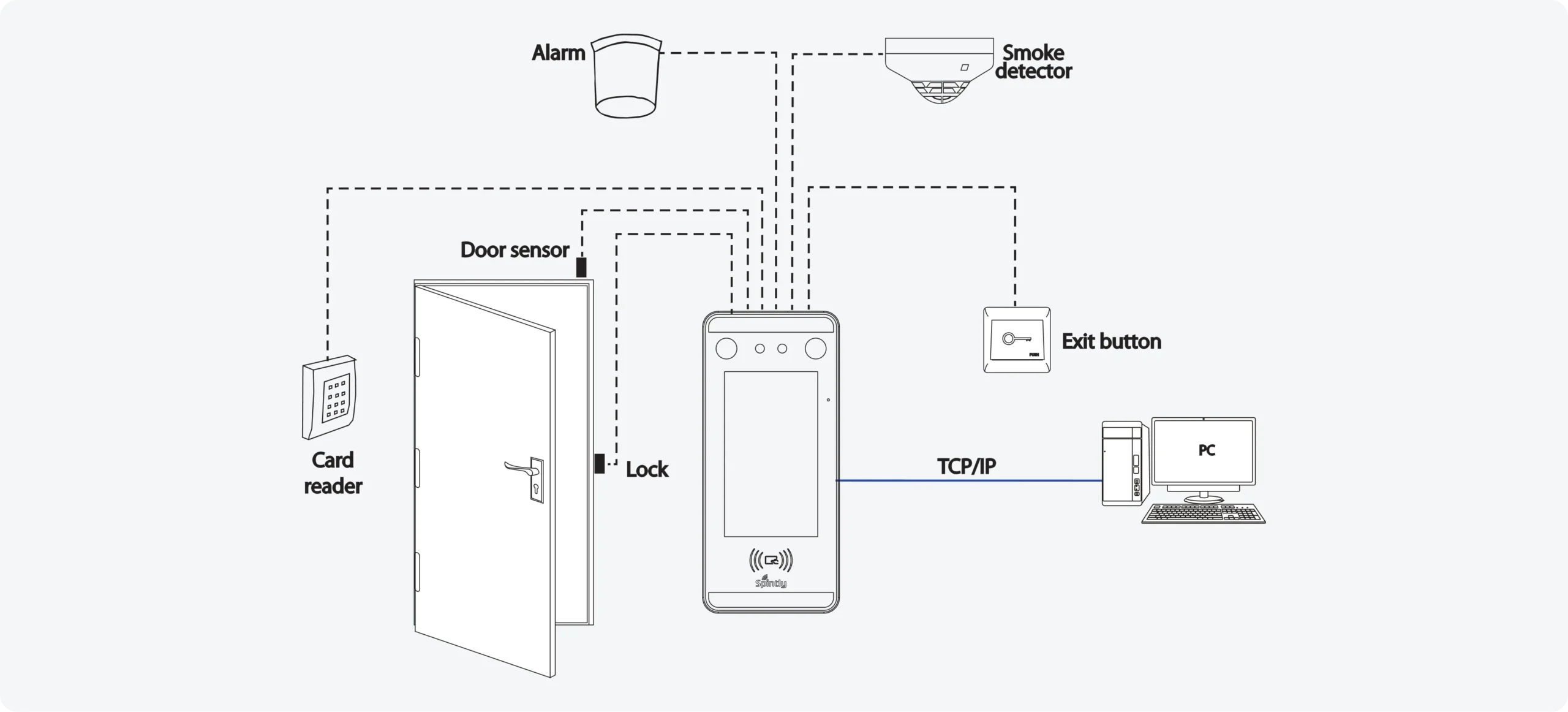
Standalone Installation (TCP/IP)
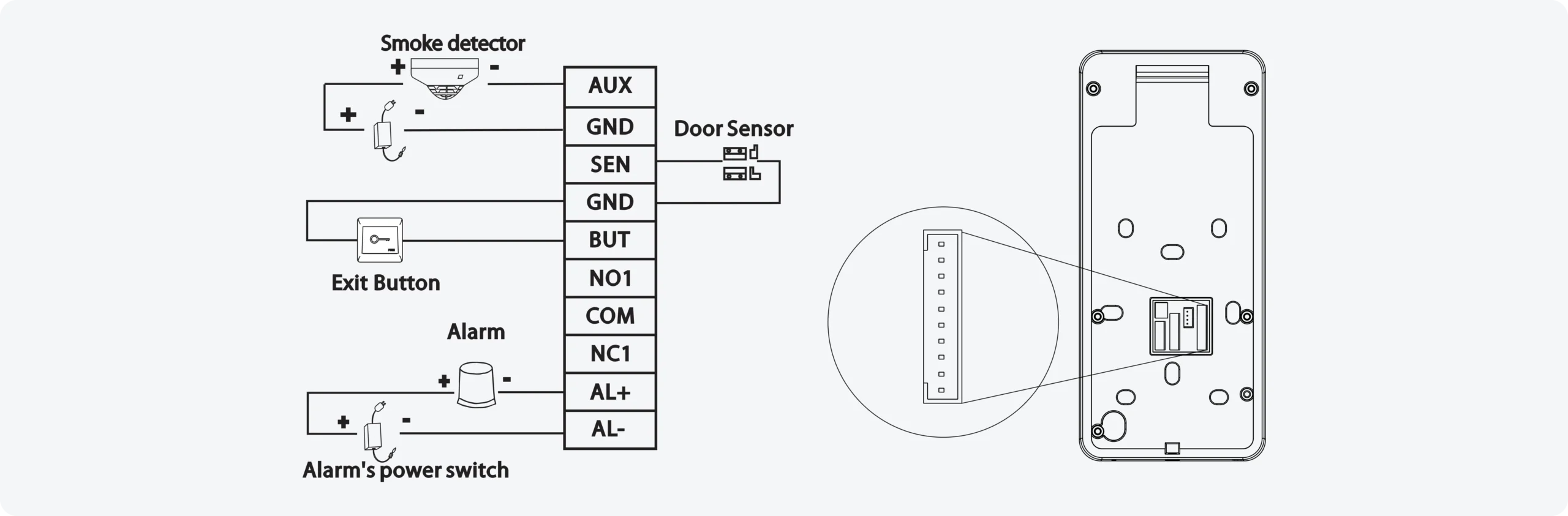
Standalone installation supports the following components:
Door Sensor, Exit Button & Alarm Connection
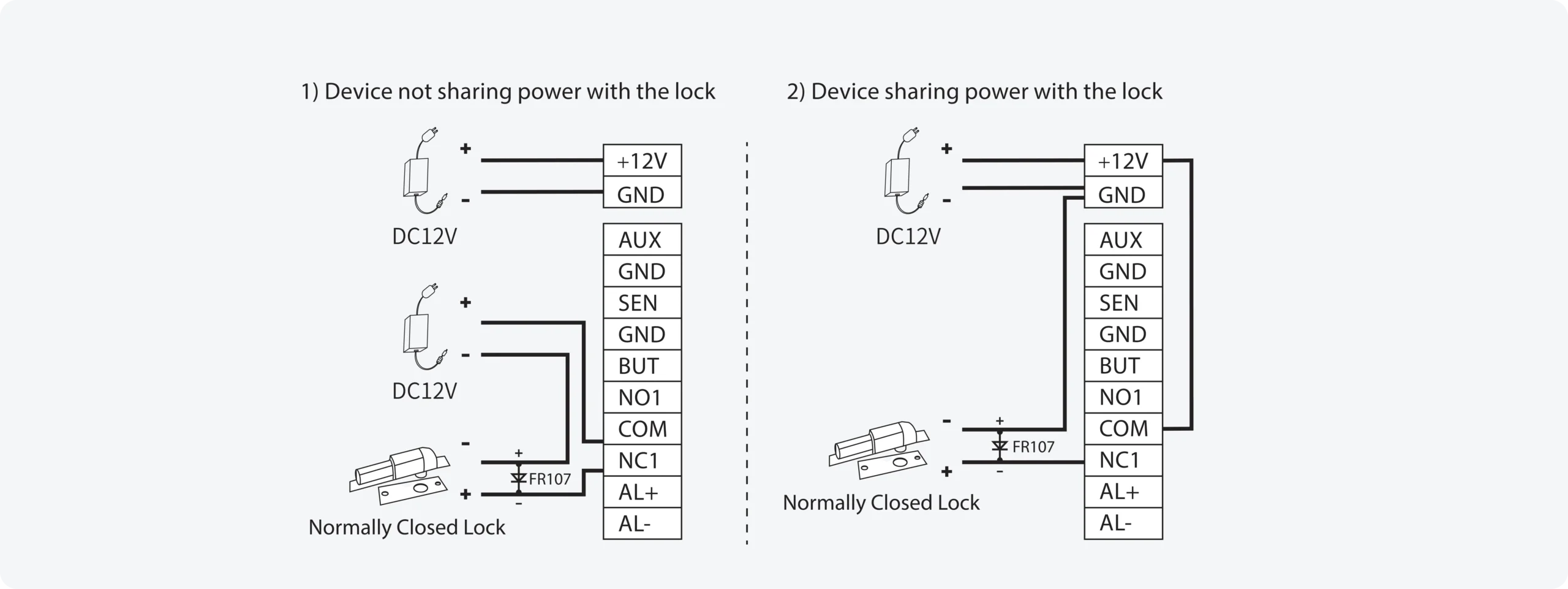
Lock Relay Connection
The system supports both Normally Open (NO) and Normally Closed (NC) locks.
A NO lock, which remains open when powered on, connects to the NO1 and COM terminals, while an NC lock, which remains closed when powered on, connects to the NC1 and COM terminals. The following example illustrates an NC lock connection.
RS485 Connection
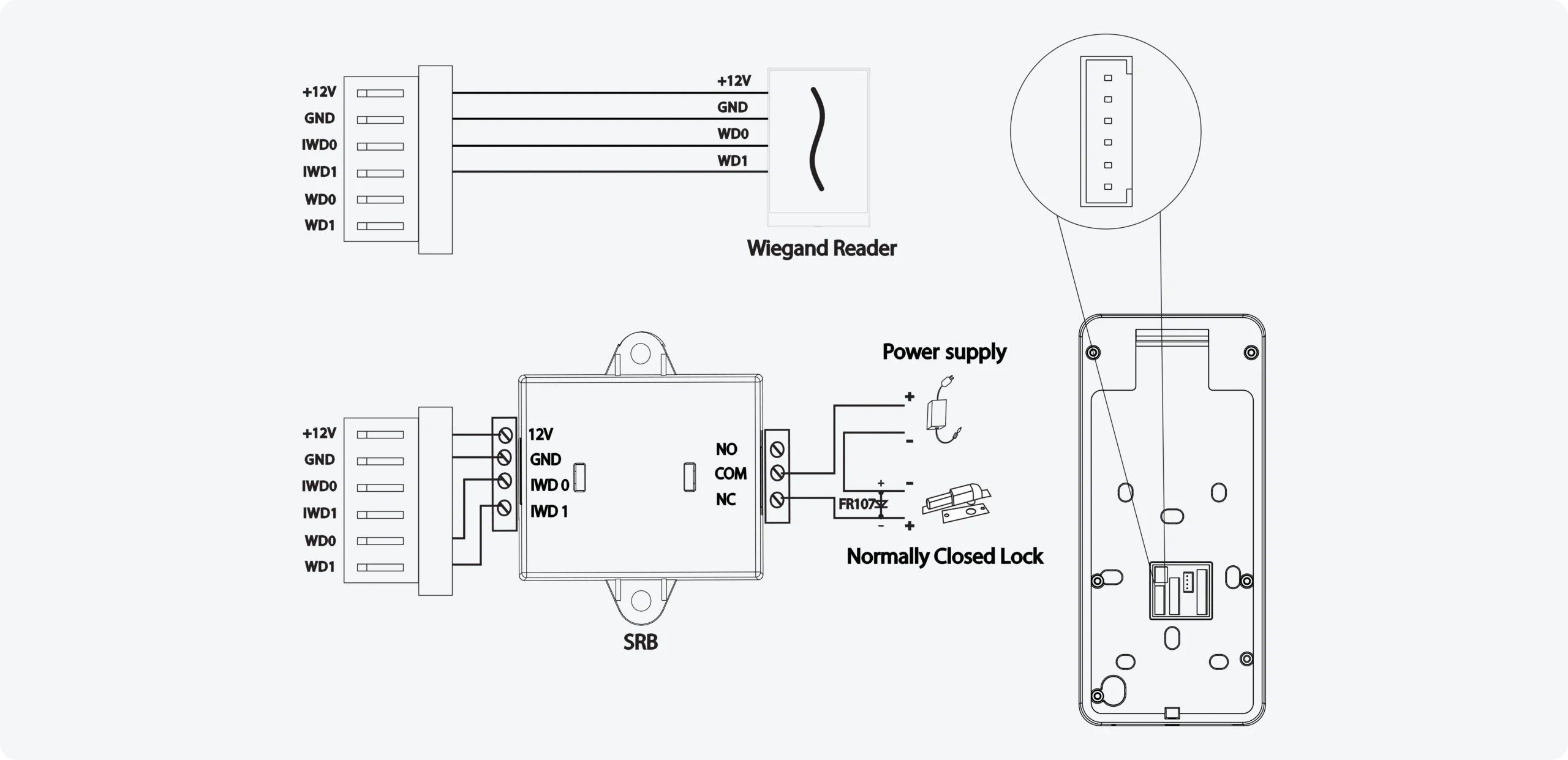
Wiegand Reader / SRB Connection
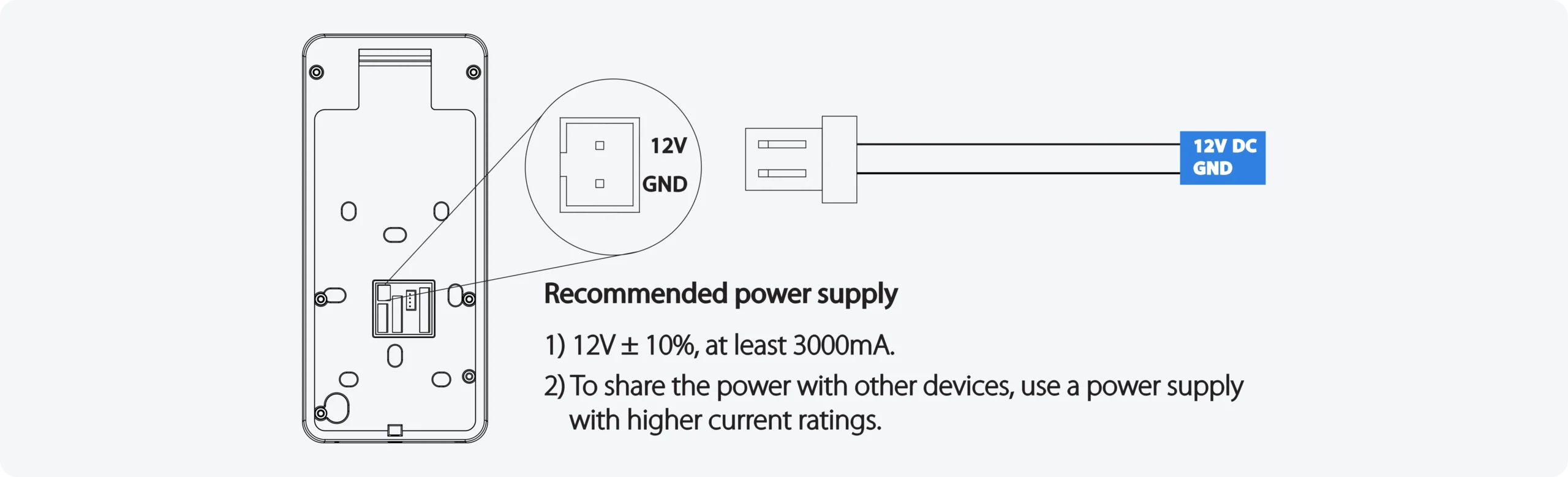
Power Connection
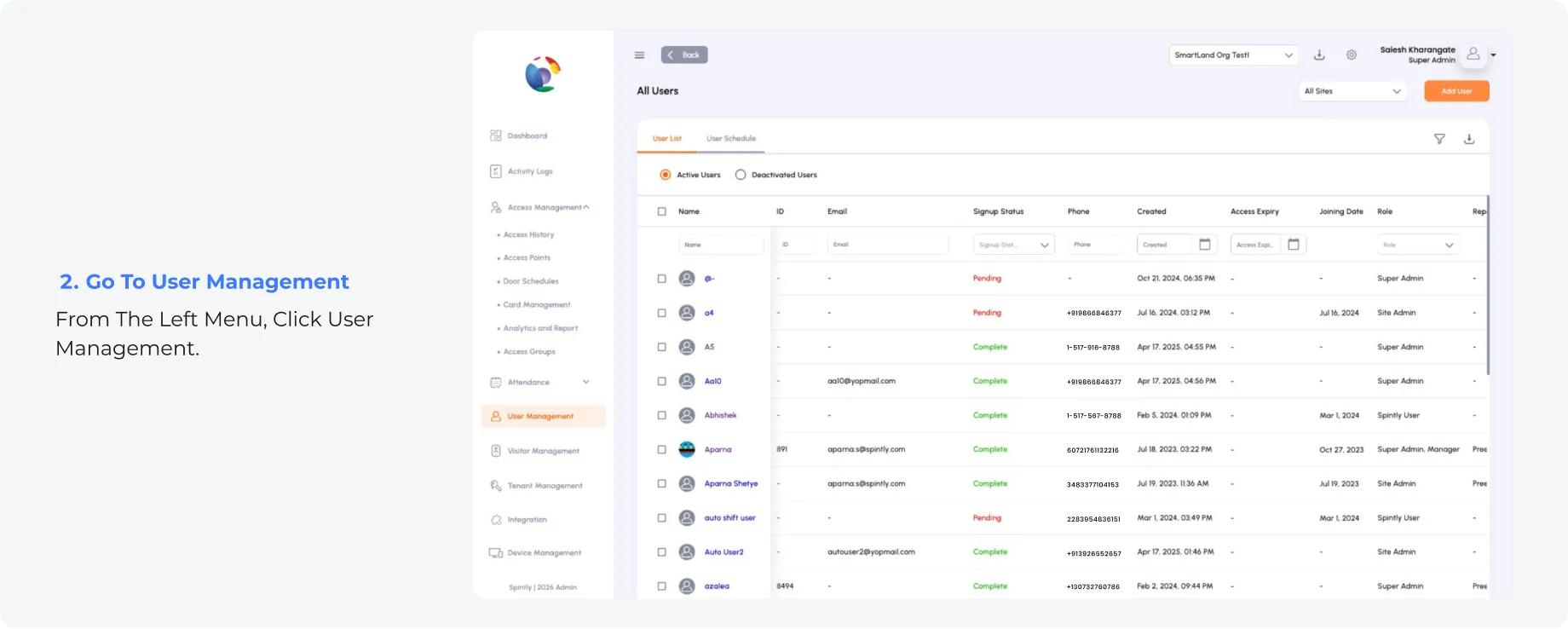
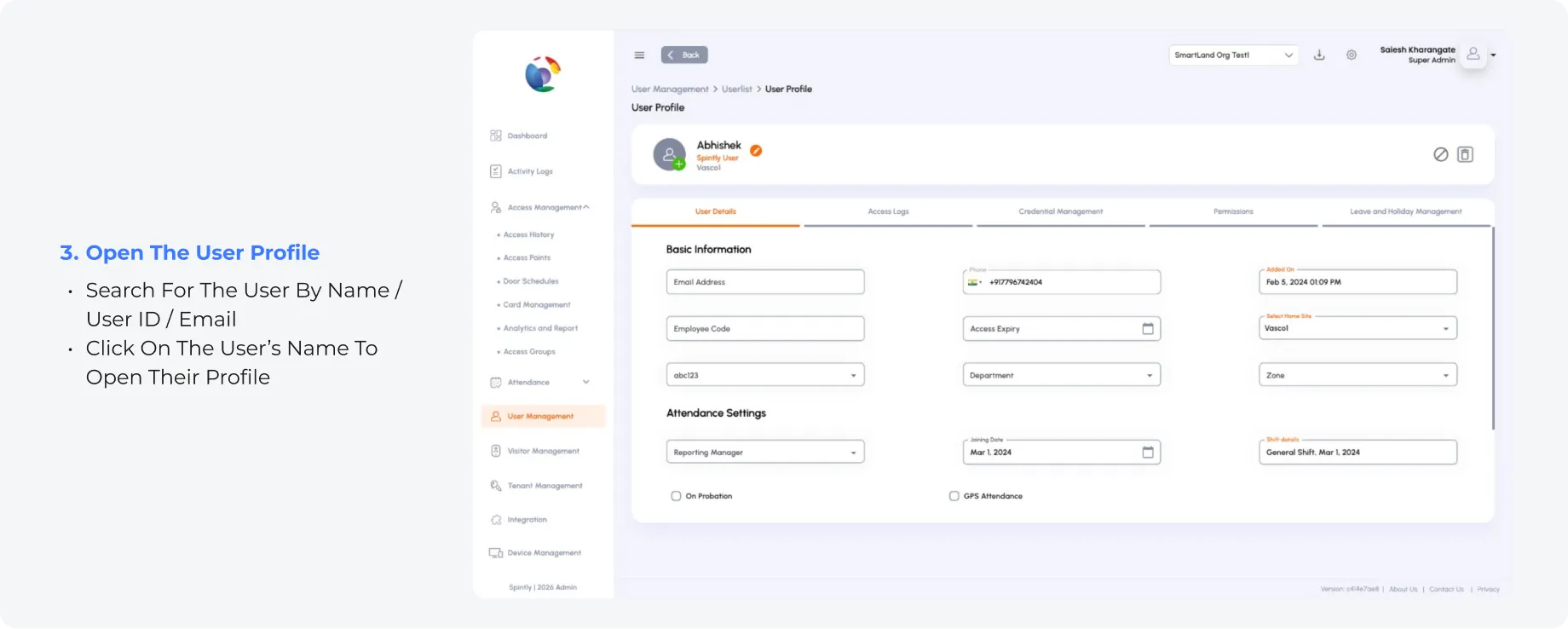
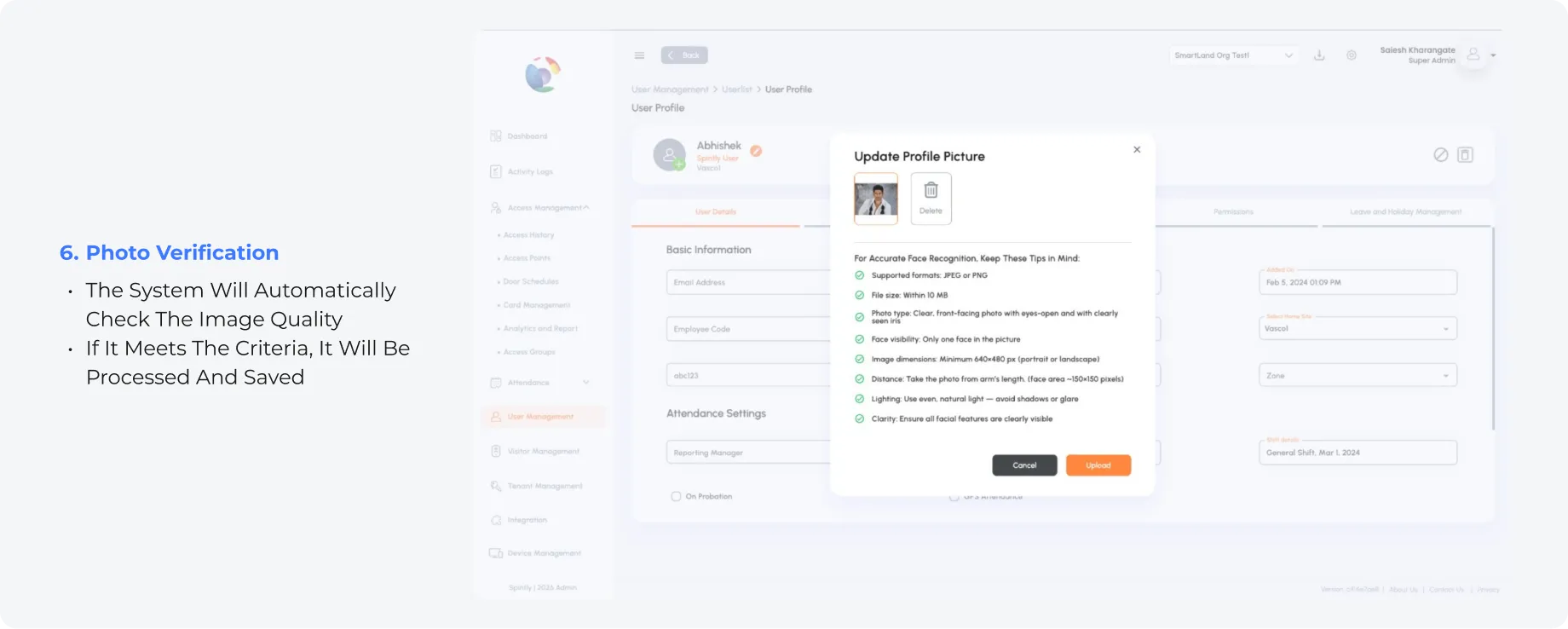
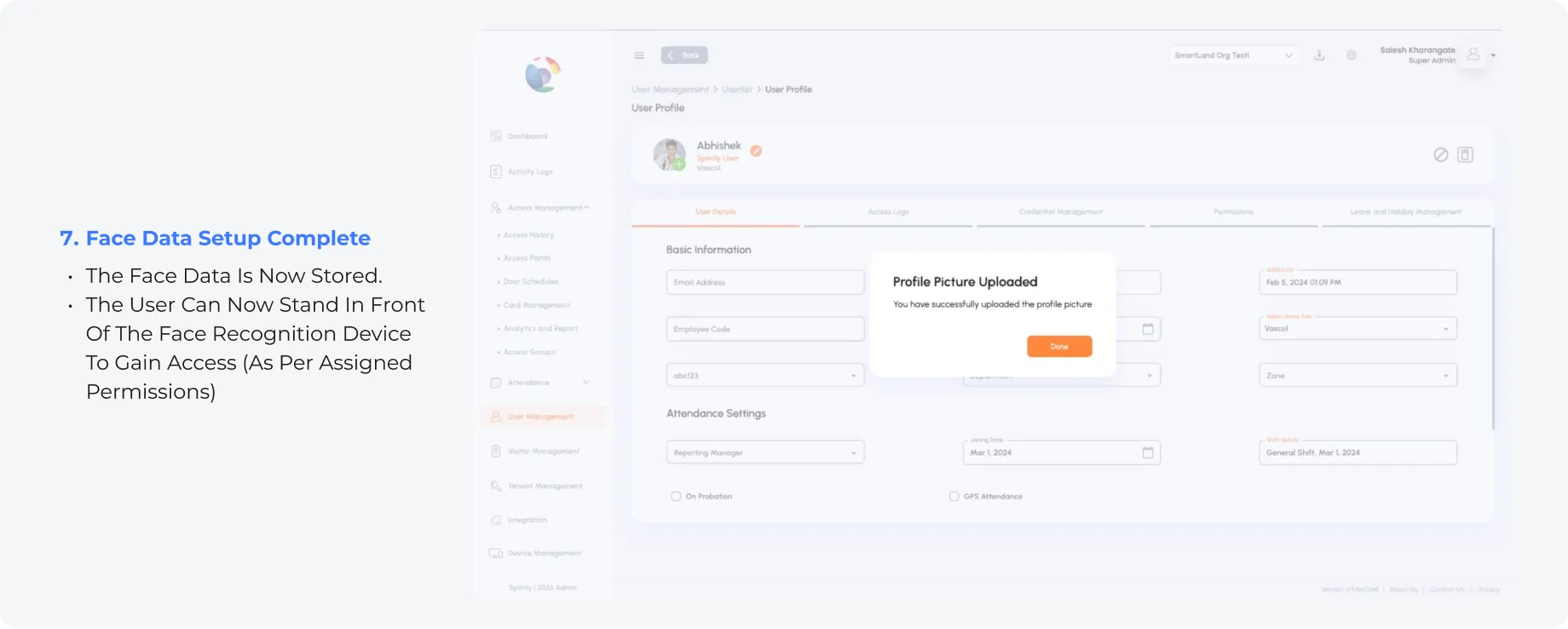
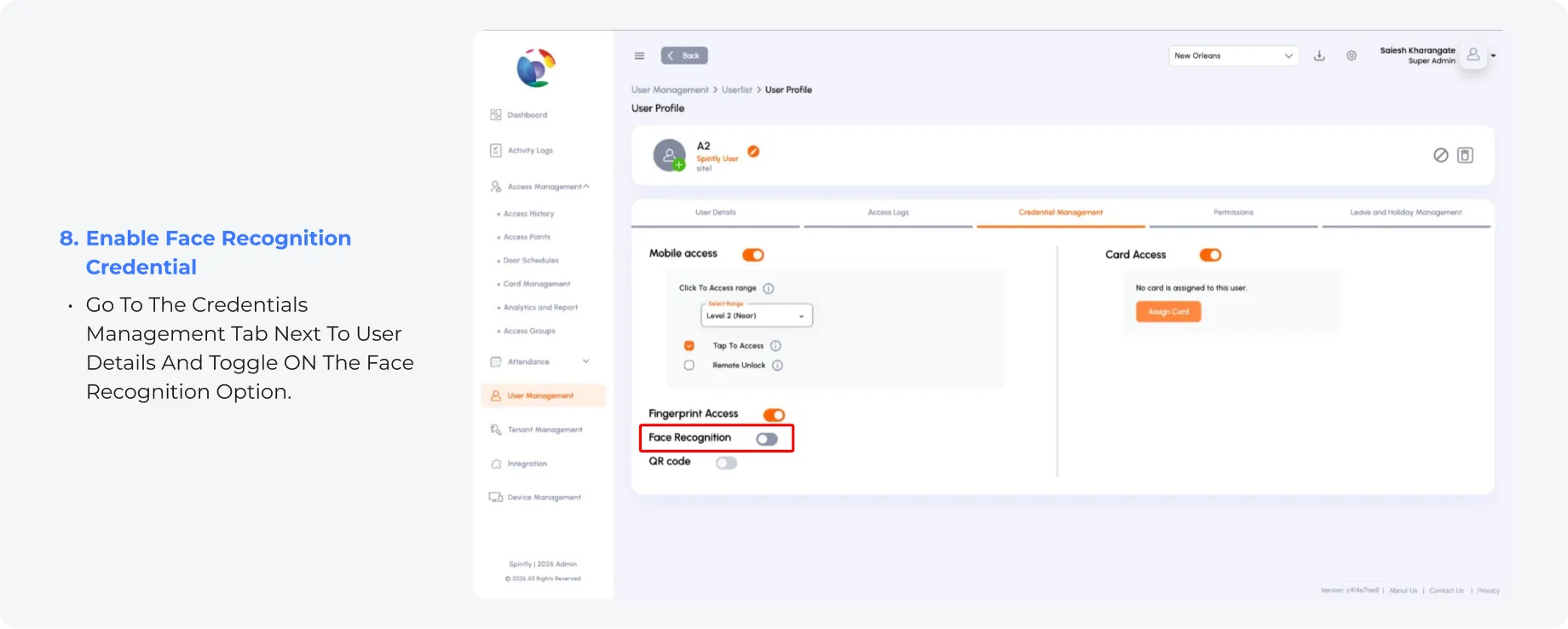
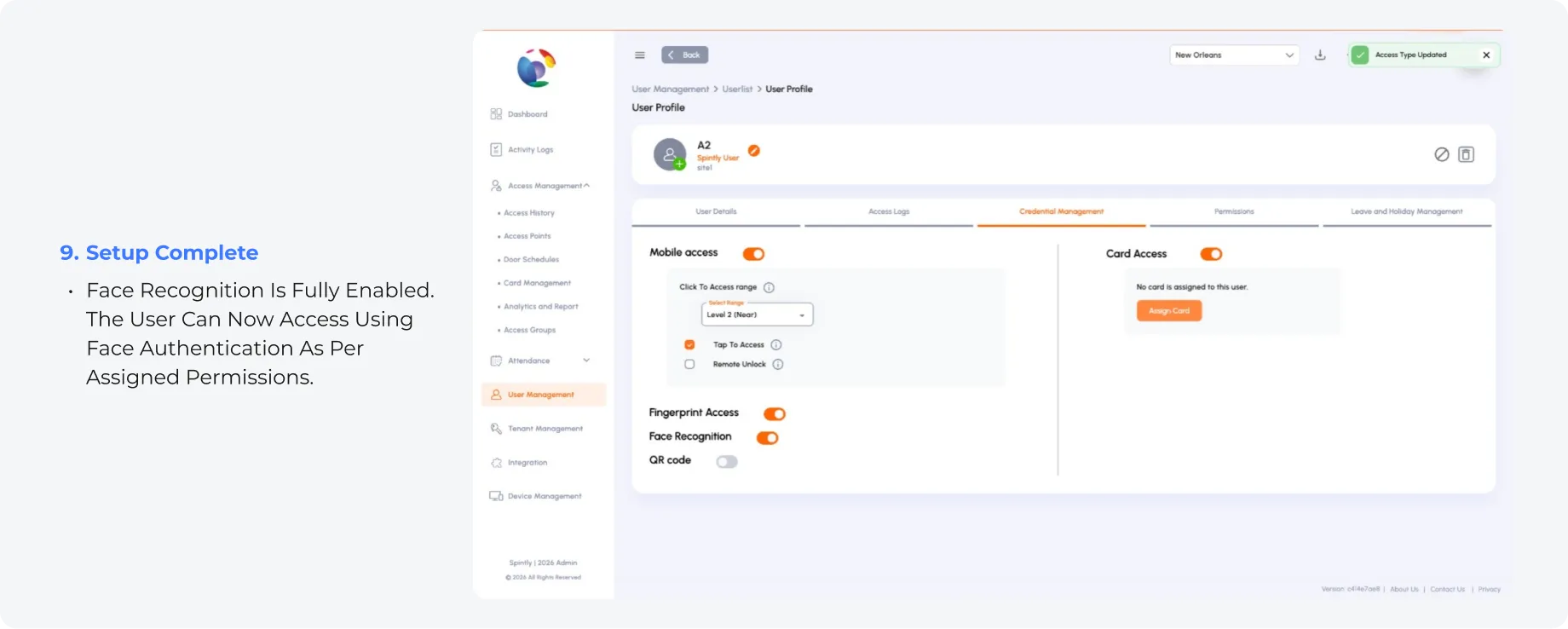
Face Recognition Setup Guide
Follow these steps to enable Face Recognition for a user: